Blue Train With Friends Practical Player Tools
Checklists and habits that make free-drive sessions smoother with friends.
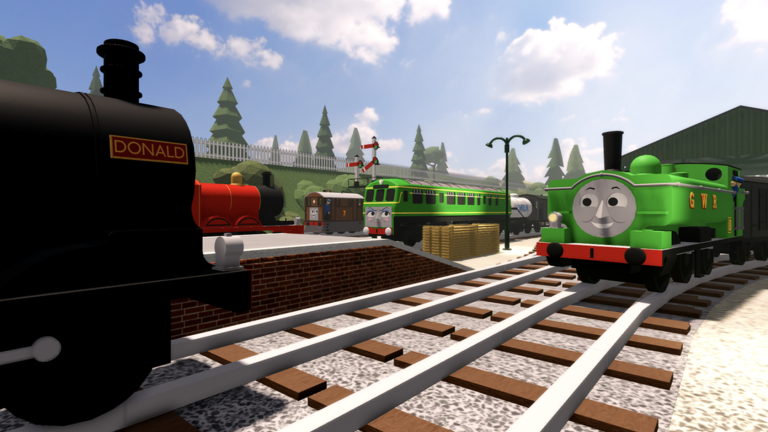
The Tools Hub collects practical player aids for Blue Train With Friends—not shady executors, not invented macros. These are checklists and mindsets you can run in a notebook, Discord pin, or party chat while free-driving the Island of Sodor with up to fourteen friends (server size 15). The game is a free-to-play Thomas & Friends inspired vehicle sim (Place 77958375146330) with engines, liveries, missions, badges, and expanding map pieces.
If you want creative building, use official in-game F3X covered on the Scripts Hub. If you want promo strings, see Codes (none confirmed active). Everything below supports legitimate play.
1) Map location checklist
Tick these landmarks across a session so you learn the railway instead of looping one station:
- Tidmouth core — station, sheds, familiar spawn energy
- Tidmouth Harbour — coastal freights, goods station, photo piers
- Old Manor Station — quieter Harbour-adjacent stop
- Elsbridge — refreshed stop on regional hops
- Lead Mines — mineral approach + mission marker awareness
- Thomas branch line — local tanks, short loops, teaching runs
- Mainline toward Suddery Junction — Halloween 2026 extension energy
- Seasonal Halloween decorations — event photo spots without blocking roads
Deep route write-ups belong in Guides, including any map-focused pages such as Tools Hub when published. Use this checklist as a session warm-up.
2) Spawn tips toolkit
- Wait for the full HUD before moving—early throttle on a half-loaded map causes pileups.
- Prefer branch spawns when the mainline is congested.
- Call your engine in party chat (“Gordon mainline,” “Percy branch”) so friends can plan meets.
- After a patch, re-check sheds and Harbour pads; new engines often appear near updated scenery.
- Novelty spawns (Handcar, Marklin, pilot variants) are great for screenshots—clear the running line afterward.
- For twin prestige, track progress via Unlock Donald & Douglas rather than blocking pads.
- Keep Find Engines handy when hunting roster gaps.
3) Livery tips card
- Change livery before long runs so you are not stopped on a busy Harbour throat.
- Match paint to the scene: classic blue for branch daylight, darker packs for Halloween nights, freight-friendly tones for Lead Mines.
- Screenshot both sides; lighting differs in tunnels vs open water.
- Twins may use buffer/tender interactions for numbers or paints—test in a quiet siding.
- Liveries do not grant map skips; still learn routes through Getting Started.
4) Mission tracker mindset
BTWF mixes hangout free-drive with light objectives (Lead Mines mission and other job-style goals). Treat missions like a soft checklist:
- Note the objective in chat or a phone memo.
- Pick a Goods-leaning engine (Henry / Edward energy) when freight flavored—see Tier List Hub.
- Clear the route of F3X debris before timing yourself.
- Finish the job, then return to free-drive meets so the server stays social.
- Badge hunts (including playful fail badges and prestige unlocks) are optional—never share accounts.
5) Session planner for 15-player servers
| Minute | Habit |
|---|---|
| 0–5 | Spawn, livery, confirm camera/controls |
| 5–20 | Map checklist item (Harbour or Mines or branch) |
| 20–35 | Group meet or light mission |
| 35–45 | Screenshots / F3X diorama in a clear siding |
| 45+ | Swap engines; reassess congestion |
6) What this hub is not
- Not a dump of external script loadstrings
- Not a guarantee of secret admin panels
- Not an official developer utility download
- Not a replacement for Updates patch reading
Related pages
- Guides Hub — how-to play and walkthroughs
- Tools Hub — landmark deep dives when available
- Getting Started — first-hour flow
- Engines Hub — roster groups
- Tier List Hub — role picks
- Updates Hub — Harbour, Mines, Halloween, F3X themes
- Links Hub — official Roblox, group, X, Discord
Print the checklists, pin them in your friend server, and keep Sodor moving. Small habits beat shady tools every time.
Frequently Asked Questions
Quick answers for Blue Train With Friends players.
What tools does this hub provide?
Practical checklists for map landmarks, spawn habits, livery reminders, and a mission-tracker mindset—not third-party executors.
Is there a downloadable BTWF tool?
No official external tool is required. Use in-game UI, liveries, missions, and F3X. Avoid unverified programs.
How should I use the map checklist?
Tick Harbour, Lead Mines, branch line, Tidmouth core, and seasonal spots across sessions so you learn the whole railway.
Can these tools help with Donald & Douglas?
Spawn and session habits help, but follow the Unlock Donald & Douglas guide for the prestige twin path.
Where do I read about new map pieces?
Start on the Updates Hub, then use Guides map pages and this Tools checklist to practice the new landmarks.